
Plan trips together
Plan together,
all in one place
Invite friends to a trip and build the itinerary, map and expenses together in one place. Friends on Android and iPhone can all plan the same trip.


Free on the App Store and Google Play
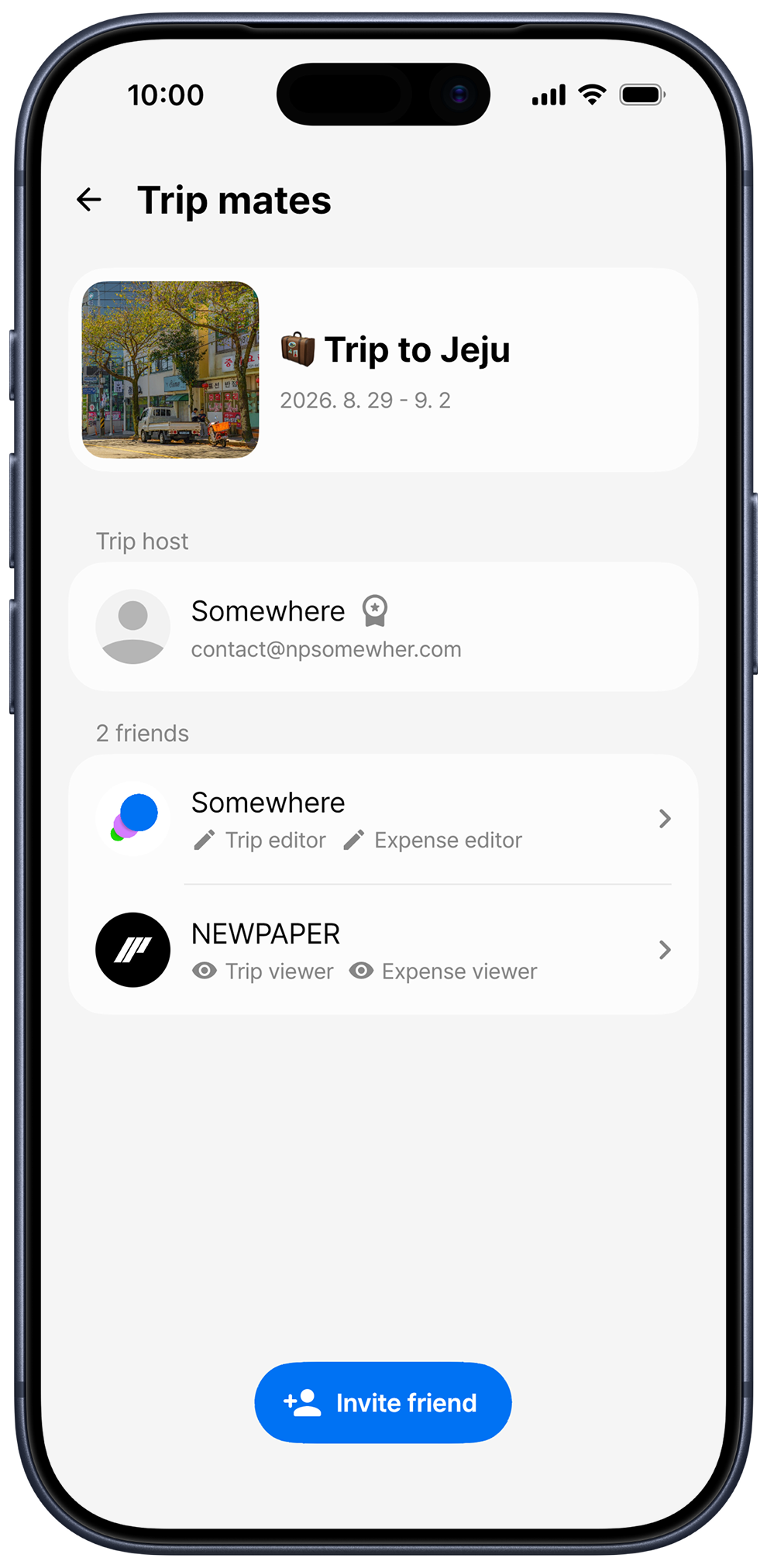
How to share a trip plan with friends
When links and notes are scattered across a group chat, nobody knows which plan is the latest. In Somewhere, everyone opens the same trip and plans from the same itinerary.
-
Create an invitation link
On the Trip mates screen, tap Invite friend, then Create new invitation link, and send it to your group with Share. An invitation link is valid for 24 hours, and creating a new link stops the old one from working.
-
Nearby? Invite with a QR code
When a friend shows My QR code from their profile, scan it on the QR code tab to invite them right away. You can also choose right there whether they can edit the itinerary and expenses.
-
Your friend taps Join trip
Your friend opens the link, signs in to Somewhere and taps Join trip. People who join through a link start with view-only access.
-
Set permissions for each friend
The trip host can turn Allow trip itinerary editing and Allow expense editing on or off for each friend in Set permission. For example, everyone can plan the days while one person looks after the expenses.
What's shared, and what stays yours
Every trip mate sees the same trip: title and dates, places and travel, memos and photos, saved items, the map, expenses and settlement. Only expenses with Private expense turned on are hidden from other trip mates and left out of the settlement.
Everyone's edits are merged
When several people edit the same trip, their changes are merged day by day and place by place when each person saves. You need an internet connection to edit a shared trip.
Made for trips like these
-
Trips with friends
Everyone adds the places they want and lines up the route on the same map
-
Family trips
One person plans the days while the rest of the family follows along with view-only access
-
Trips as a couple
Look at the same itinerary and decide on places and times together
-
Mixed Android and iPhone groups
Friends on different phones can view and edit the same trip
Frequently asked questions
Do my friends need the app?
Yes. To plan together, your friends need to install Somewhere and sign in. If they open an invitation link on the web, they're guided to open or download the app.
How many friends can I invite?
You can invite friends for free, and a trip host with Somewhere Pro can invite more
Do I see my friends' edits right away?
Changes your friends save are loaded the next time you open the trip. The screen doesn't update live, so reopen the trip to see the latest changes.
Can I leave a trip or remove someone?
Yes. Trip mates can leave anytime with Leave trip on the Trip mates screen, and the host can remove someone with Remove friend. When someone leaves or is removed, the private expenses they recorded are deleted too.
More from Somewhere
Somewhere is a trip planner app that keeps your itinerary, route maps, expenses and settlement in one place
Plan your next trip together with Somewhere
Download Somewhere and create your first trip