
Trip route map
See your trip route
on one map
Add places to your itinerary and Somewhere draws each day's route on the map in order. Place search and Google Maps directions are included for free.


Free on the App Store and Google Play
How to plan your route on a map
A plain list of places doesn't tell you which order makes sense. Somewhere shows your route on the map while you build the itinerary.
-
Add places to each day
Tap Add item on a day and find a spot with Search places, or choose From map to pick a location right on the map. Each place can have a category, a time and a memo.
-
Add travel between places
Pick how you're getting there on a Travel item, such as walking, bus, subway, taxi, train or plane, to see the straight-line distance and an estimated travel time. If you enter a start and end time, the scheduled duration is shown instead.
-
Check your route on the map
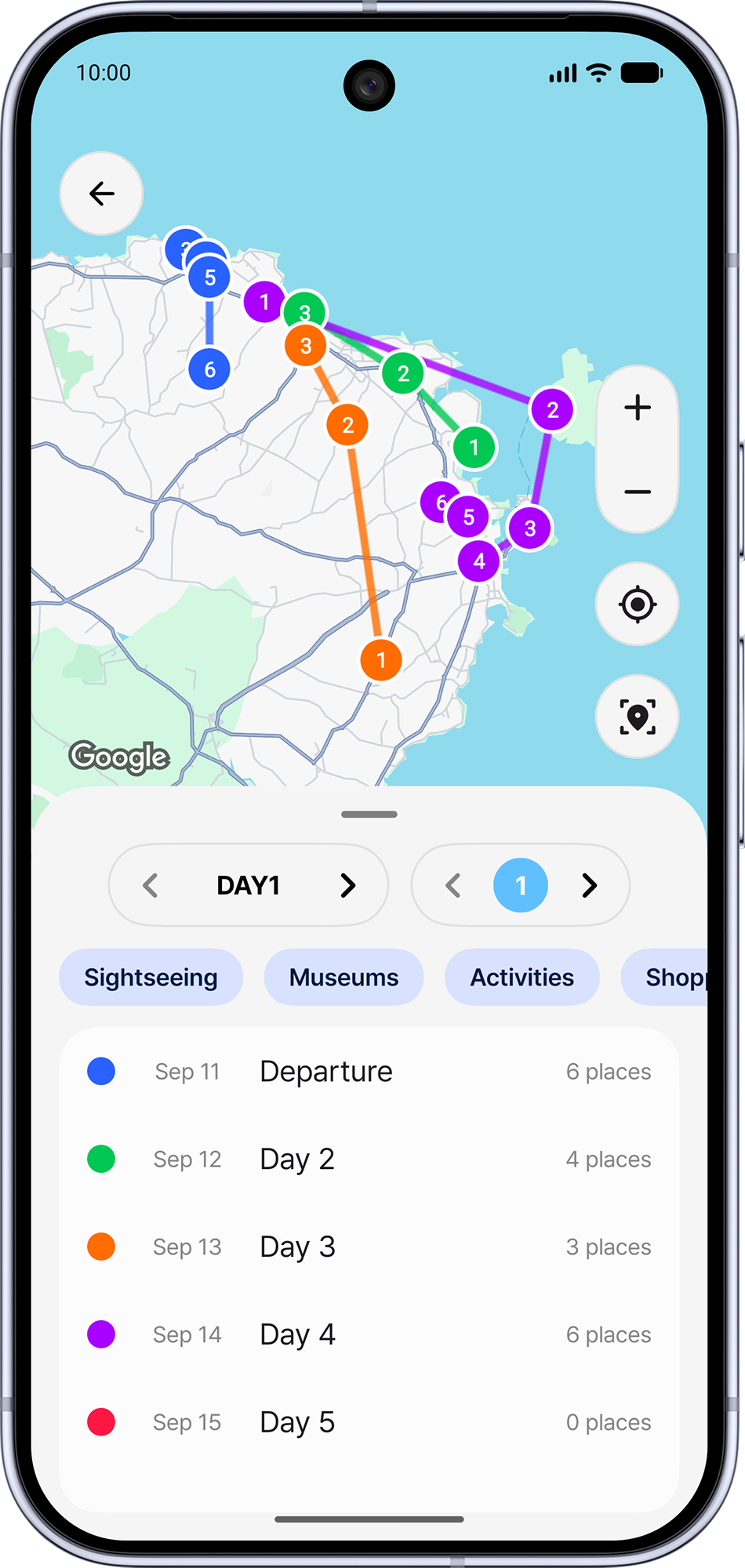
Tap Map on the trip screen to see every place numbered in visiting order and connected by a line in each day's color. Show only the days you want, or filter by category.
-
Reorder and move places
In edit mode, drag places to reorder them, or use Move to another date to put a place on a different day. The new order shows up in the numbers and lines on the map.
Import places from Google Maps
In Google Maps, tap Share on a place and choose Somewhere to save it to Saved items in the trip you choose. Then use Add to itinerary to put saved places on any day.
Get directions with Google Maps on the go
Tap Open in Google Maps on a place to jump straight to it in Google Maps. On a Travel item, tap Google Maps directions to open the route between the places before and after it, using the travel mode you set. Tap My location on the map to see where you are.
Made for trips like these
-
Planning a route that makes sense
Each day's places are joined in order, so detours stand out at a glance
-
Collecting places first
Gather places in Saved items and move them into your days later
-
Long, multi-day trips
Every day has its own color, so routes for several days are easy to tell apart on one map
-
Planning on a tablet or foldable
Large screens show the day list and category filter right next to the map
Frequently asked questions
Is the map free?
The trip map, place search, My location and Google Maps links are all free. Somewhere Pro lets you keep more places in Saved items.
Do the route lines follow real roads?
No. The lines are straight lines that connect places in itinerary order. For turn-by-turn routes, tap Google Maps directions to open them in Google Maps.
Does it optimize my route automatically?
Not automatically. Drag places into a new order yourself, or ask the AI itinerary editor to optimize your route.
Which map does Somewhere use?
Somewhere is built on Google Maps, so you can search for and view places anywhere in the world
More from Somewhere
Somewhere is a trip planner app that keeps your itinerary, route maps, expenses and settlement in one place
Plan your next route with Somewhere
Download Somewhere and create your first trip