
Travel expenses & settlement
Split trip expenses
without the spreadsheet
Log what you spend while you travel, and Somewhere works out who owes whom. Currency conversion, shared funds and spending stats are all built in.


Free on the App Store and Google Play
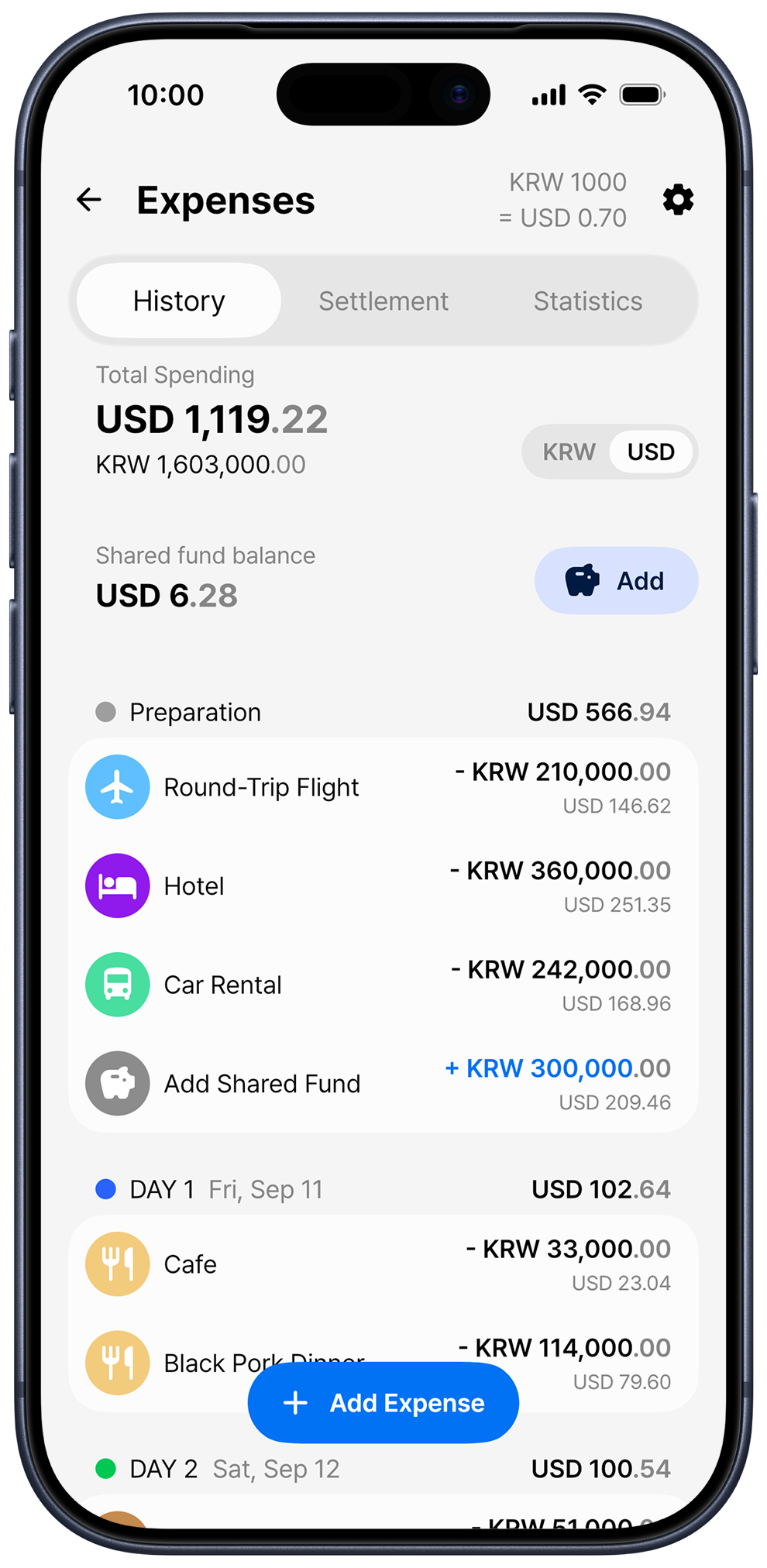
How to split travel expenses
No more collecting receipts and building a spreadsheet after you get home. Record each expense as it happens, and the app takes care of the settlement.
-
Create a trip and invite friends
Trip mates you invite see the same expense history. You decide for each friend whether they can add and edit expenses.
-
Record what you spend
Tap Add Expense and enter the amount, currency, category and payment method (cash or card). Pick a trip day such as DAY 1 or DAY 2, or record costs paid in advance, like flights and hotels, under Preparation.
-
Choose who paid and who owes
Choose people under Paid by and Owed by, then tap 1/N to split the amount evenly. If people ordered different things, enter each person's amount yourself.
-
Check the Settlement tab
Somewhere compares what each person paid with what they spent, and shows who should send how much to whom. Make those transfers and you're all settled up.
Travel abroad without currency math
Record expenses in the local currency, whether that's yen in Japan or euros in Europe. Somewhere supports 50 currencies, and each trip can use up to three of them at once.
Amounts are converted using automatic exchange rates, and the trip host can also enter the actual rate you got. Totals and settlement amounts can be shown in any of the trip's currencies. The Rates & Currencies screen also includes an exchange rate calculator.
Made for trips like these
-
Trips with a shared fund
Contributions, expenses paid from the fund and the remaining balance all count toward the settlement
-
Taking turns paying
You pay today, a friend pays tomorrow, and it all evens out in one settlement at the end
-
Trips abroad
Add your home currency to the trip to see totals and settlement amounts in it, even when you record expenses in the local currency
-
Expenses just for you
Turn on Private expense to hide an expense from trip mates and leave it out of the settlement
See where your money went
The Statistics tab shows how much you spent in each category: Sightseeing, Museums, Activities, Shopping, Food, Transport, Flights, Lodging and Other. You can also see how your spending breaks down between cash and card.
The History tab groups expenses by trip day. Trip stats in your profile shows your total travel expenses and daily average across all your trips.
Frequently asked questions
What does Somewhere Pro add?
You can attach photos, such as receipts, to expenses and shared fund contributions
Do my friends need the app to split costs?
Yes. To be part of the settlement, friends need to accept your invitation and join the trip in Somewhere. A trip host with Somewhere Pro can invite more friends.
Which currencies are supported?
Somewhere supports 50 currencies, including the US dollar, euro, British pound, Japanese yen, Korean won and Thai baht. Each trip can use up to three currencies at once.
How are exchange rates set?
Somewhere converts amounts using automatic exchange rates by default, and the trip host can also enter rates manually. Automatic rates may differ from the rate you actually got, so use them as a guide.
More from Somewhere
Somewhere is a trip planner app that keeps your itinerary, route maps, expenses and settlement in one place
Split costs on your next trip with Somewhere
Download Somewhere and create your first trip